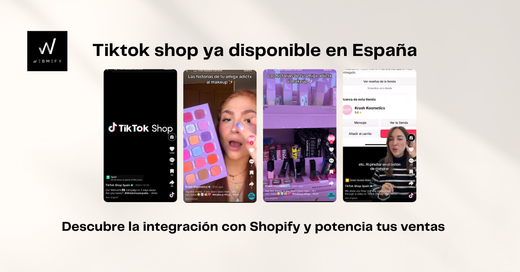
If you're in e-commerce and haven't yet taken advantage of TikTok Shop, let me tell you that you're missing out on an incredible opportunity. I've seen how this tool can literally transform businesses overnight. That's why, in this article, I'll explain step-by-step how to use TikTok Shop integrated with Shopify to increase your sales easily and effectively.
Of course, if you prefer to have expert help to ensure everything is done in the most optimal way, at Webmefy we are ready to help you. As Shopify Partners, we have a team of e-commerce specialists who will manage your store from start to finish so you only have to worry about selling.
What is TikTok Shop and why should you use it?
TikTok Shop is the e-commerce feature within TikTok that allows users to buy products without leaving the platform. Basically, your videos can have an orange cart in the bottom corner, from which users can buy what you offer with just a few clicks.
This is great because:
-
TikTok encourages sales by offering coupons to users (without you paying anything).
-
Customers don't have to leave TikTok to buy.
-
You can tag products in your organic posts, and even your fans can promote them with their own videos.
In short: it's a direct way to convert visits into sales, and TikTok is happy to help make it work because they also benefit from it.
Benefits of using TikTok Shop with Shopify
By combining TikTok Shop with Shopify, you get the best of both worlds. Here are some of the most notable benefits:
-
Automatic synchronization:
Once you connect your Shopify store with TikTok Shop, any changes you make in Shopify (like prices or inventory) are automatically reflected on TikTok. No more manually updating everything. -
Direct purchases:
By allowing users to buy without leaving TikTok, you reduce the chances of them abandoning the purchase process. Fewer clicks, more sales. -
Scalability with TikTok Ads:
If you decide to use ads, you can take advantage of TikTok promotions for new advertisers, such as ad credits. Additionally, campaigns on TikTok are usually much more affordable than on other platforms.
👉 If all of this seems overwhelming or you don't have time to manage it,
Webmefy can set up your TikTok Shop and optimize your Shopify to run like clockwork.
Let's talk and do it together!
Contact us nowHow to set up TikTok Shop step by step
If you've never done it before, don't worry. Here's a clear guide to connecting your Shopify with TikTok Shop.
Step 1: Create your TikTok Seller account
First, you need to register with the TikTok Seller Center. Use the same email you have for Shopify, as this will greatly facilitate the connection later. During registration:
-
Choose between an individual or corporate account (for example, as a sole proprietor or company).
-
Provide the necessary documentation, such as your tax ID or business proof.
-
Set up your store name and logo (you can change it later).
Step 2: Link Shopify with TikTok
TikTok has an official app called TikTok for Shopify. Install it from the Shopify app Marketplace and follow these steps:
-
Authorize the connection between your accounts.
-
Set up shipping methods and returns.
-
Automatically sync products from your Shopify catalog.
If you are unsure how to optimize the synchronization or configure the technical details, at Webmefy we help you ensure your store meets the highest standards. We manage the entire process so you can focus on what really matters: growing your business.
Strategies to maximize your sales on TikTok Shop
-
Effective organic posts:
Create authentic and dynamic content that shows your products in action. For example, a video showing how to use your product, with a message like: "Guess how much this costs! Click the orange cart to find out." -
Tag products in your videos:
TikTok allows you to tag products directly in videos. Take advantage of this to facilitate purchases without interrupting the user experience. -
Collaborate with content creators:
Influencers can help boost your products by featuring them in their own videos. Additionally, their followers can buy directly from the links they share. -
Use TikTok Ads to scale:
Start with small campaigns and adjust based on results. The most effective options are usually in-feed ads and remarketing campaigns for retargeting.
If you need advice on advanced TikTok Ads strategies or how to improve your results, remember that at Webmefy we have an expert team to take your e-commerce to the next level. Contact us and discover how we can help you.
Common mistakes when using TikTok Shop and how to avoid them
-
Not completing all product information:
Incorrect categories or incomplete descriptions can affect your product's visibility. Take the time to optimize these details. -
Forgetting to sync inventory:
Make sure that changes in Shopify are reflected on TikTok. This avoids confusion with customers. -
Not taking advantage of ads:
Posting organically is a good start, but ads allow you to reach more people quickly and effectively.
Take your e-commerce to the next level with TikTok Shop and Shopify
If you follow these steps, you can transform the way you sell online. TikTok Shop is not only a powerful tool, but it is also a platform that encourages sales with promotions and easy options for the customer.
However, if you don't want to do it alone or need expert help, at Webmefy we are here for you. As Shopify Partners, we have the best e-commerce professionals and know exactly how to set up and manage your store to get the best results.
Contact us today and let's take your business to the next level! 🚀